









Creating a home workspace that is both clutter-free and efficient can make a significant difference in your daily productivity and overall well-being. When your workspace is neat and well organized, it’s easier to focus, complete tasks more quickly, and feel motivated throughout your workday. Whether you are working from home full-time or need a dedicated spot for occasional projects, these tips will help you set up a comfortable, streamlined workspace.
Why Organizing Your Home Workspace Matters
A cluttered workspace can lead to distractions, stress, and wasted time hunting for items. On the other hand, an organized office encourages clarity of thought, faster task completion, and a more professional environment. When you take the time to arrange your home office well, you’re investing in your efficiency and peace of mind.
Step 1: Choose the Right Location
Before organizing, pick the best spot for your workspace. Ideally, this should be a quiet area with good natural light. It doesn’t have to be a separate room—a corner of your living room or bedroom can work as long as it allows you to focus.
Consider these factors:
– Minimal foot traffic and distractions
– Access to power outlets
– Comfortable temperature and ventilation
– Room for your desk and storage needs
Step 2: Declutter Your Space
Start by removing everything from your desk and storage areas. Sort items into three categories:
– Keep: Essential tools you use daily
– Store: Items you don’t need often but want nearby
– Discard/Donate: Unnecessary or broken items
Getting rid of anything that does not serve your workspace helps you create a clean slate and prevents buildup of clutter again.
Step 3: Invest in Smart Storage Solutions
Good storage is key to keeping your space tidy. Consider these options:
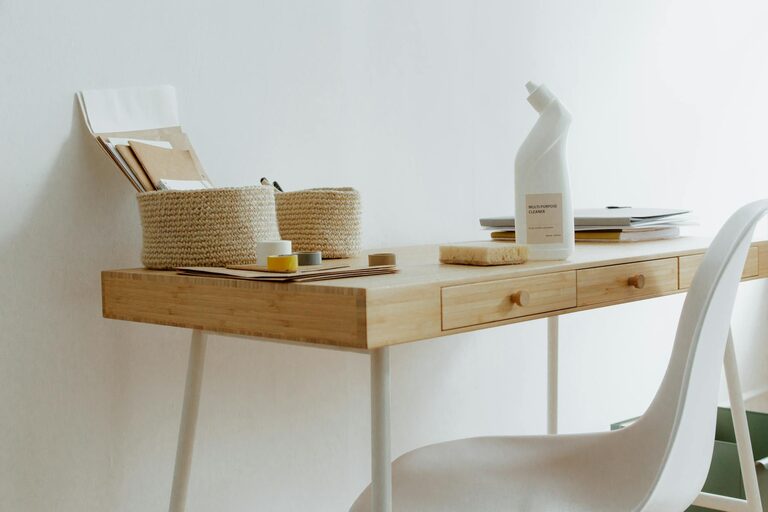
– Desk organizers: Small trays, pencil holders, and drawer dividers keep essentials in place.
– Shelving: Wall shelves free up desk space and provide room for books, files, or décor.
– Filing systems: A simple filing box or cabinet helps manage paperwork efficiently.
– Cable management: Clips and sleeves prevent cords from tangling and taking over your desk.
Choose storage that fits your space and style while prioritizing accessibility.
Step 4: Arrange Your Desk for Maximum Efficiency
How you set up your desk affects your workflow. Follow these tips to optimize your layout:
– Keep frequently used items within arm’s reach.
– Place your computer or laptop screen at eye level to avoid strain.
– Use vertical space for calendars, notes, or inspiration boards.
– Maintain a clear area for writing or other manual tasks.
Try to create a balance between functionality and comfort.
Step 5: Establish Daily and Weekly Cleaning Habits
Regular maintenance keeps clutter from accumulating. Incorporate these habits:
– Daily: Clear your desk at the end of each day, put away supplies, and tidy cables.
– Weekly: Sort through papers, empty trash bins, and dust your workspace.
Having a quick cleanup routine helps maintain an organized and welcoming environment.
Step 6: Personalize Thoughtfully
Personal touches can make your workspace inviting but avoid overdecorating. Choose a few meaningful items such as:
– A plant or two to add freshness
– Inspiring artwork or quotes
– A comfortable chair cushion
Make sure your personalized items don’t crowd your desk or distract you from your tasks.
Step 7: Digital Organization Matters Too
A cluttered digital space can be just as distracting as a messy desk. Keep your computer and files organized by:
– Creating clear folders for documents and projects
– Limiting desktop icons to essentials only
– Regularly backing up and deleting unnecessary files
Combining a clean physical space with a tidy digital workspace supports productivity.
Bonus Tips for Maintaining Your Organized Workspace
– Use a timer or app to remind yourself to take breaks and tidy up.
– Rotate supplies periodically to prevent accumulation.
– Keep a donation box handy for items you no longer need.
– Evaluate your workspace layout every few months and adjust as needed.
—
By following these practical tips, you can create a home workspace that is both clutter-free and efficient. A well-organized office supports your focus and productivity, making working from home a more enjoyable and successful experience. Remember that organization is an ongoing process, and small daily habits will keep your space functional and inviting over time.